
What does IPTV actually stand for?
IPTV stands for Internet Protocol Television. Strip the jargon and it’s exactly what it sounds like: television delivered through your internet connection instead of through an aerial, a satellite dish, or a coaxial cable.
The best plain-language framing we’ve seen comes from a forum discussion where one confused user finally got it, and another user summed it up for them: IPTV is the same thing as cable, except it’s delivered through the internet instead of a coaxial cable or antenna. Same channels, same packages, same schedules and paywalls — different pipe.
That’s the whole concept. Everything else on this page is just how that pipe works.

How does IPTV work — what happens between the broadcaster and your screen?
Follow a single channel from the studio to your living room. There are five steps in the chain, and understanding them explains half the problems people run into later (blank guides, buffering, “login failed”).
1. Content acquisition — the provider gets the channels
Somebody has to receive the original broadcasts. A legitimate operation receives channels from licensed broadcast feeds, satellite downlinks or direct rights deals. This is also where the line between legal and illegal IPTV gets drawn — more on that in our UK legality guide.
2. Encoding and compression — the video becomes data
Raw broadcast video is enormous. The provider compresses it into efficient formats — H.264 (AVC) or the newer H.265 (HEVC) — which is why a 4K football match fits through your broadband at all. The quality you see is decided here, at the source: if the provider compresses the feed too aggressively, no amount of bandwidth at your end makes it look better.
3. Middleware — logins, subscriptions and the TV guide
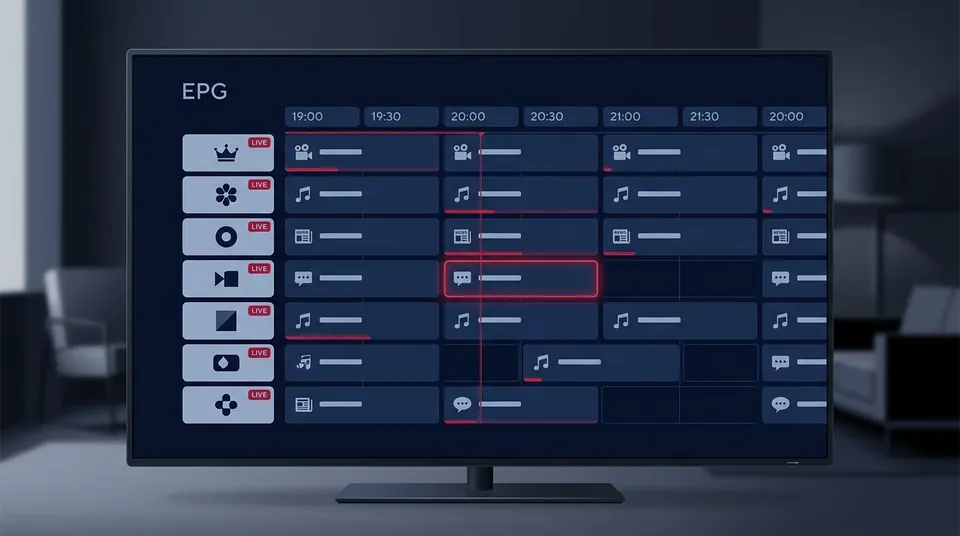
“Middleware” is the word users stumble across on technical pages and ask about. It just means the system that sits between the provider’s servers and you: it checks your subscription credentials, decides which channels and films you’re allowed to see, and serves up the EPG (electronic programme guide) — the on-screen guide that tells you what’s on now and next.
4. Delivery as data packets — only what you ask for
Here’s the key difference from old-fashioned TV. A satellite or aerial broadcast pushes every channel to every home at once, and your TV “tunes in” to the one you want. IPTV works the other way round: your device requests a channel, and the network sends only that stream to you, broken into data packets.
This request-based delivery is why an IPTV subscription works on a Firestick, a phone and a smart TV with no dish — and it’s also why your internet speed matters more than it ever did for satellite. If the packets arrive late, you see buffering instead of a frozen picture.
5. Decoding on your device — the stream becomes TV again
Your device — a Firestick, smart TV, phone or laptop — runs a player app (TiviMate, IPTV Smarters Pro, Smart IPTV and the rest) that reassembles the packets and decodes them back into moving pictures. The app is separate from the subscription: the subscription is the login, the app is the TV set. Our setup walkthrough covers this split in detail.
Is IPTV just streaming? What’s the difference between IPTV and Netflix?
This is the conflation question users ask constantly, and it has a slightly annoying answer: technically, Netflix is IPTV too.
IPTV literally means “TV delivered over internet protocol.” By that definition, BBC iPlayer, ITVX, Netflix and Disney+ are all IPTV — they deliver television over the internet. When people colloquially say “IPTV,” though, they almost always mean something narrower: a subscription that sells live channels over the open internet — the full Sky-style lineup of live TV plus films and box sets, delivered through a third-party provider rather than the broadcaster itself.
You’ll also see the term OTT (over-the-top) on provider pages. OTT is the industry’s name for exactly that narrower thing: services delivered “over the top” of your broadband connection, rather than through a managed network the provider controls (like BT TV or Virgin’s cable). So:
- IPTV (the technology): any TV delivered over internet protocol — iPlayer included. Neutral, legal as a concept.
- IPTV (how people use the word): a third-party subscription of live channels + VOD, sold over the open internet.
- OTT: the same thing, in suits.
There’s nothing illegal about the technology itself. The legality question is about what’s in the stream — whether the provider has the rights to the content it sells. That’s a separate question with real consequences, answered properly in is IPTV legal in the UK?.
What are live TV, VOD and catch-up?
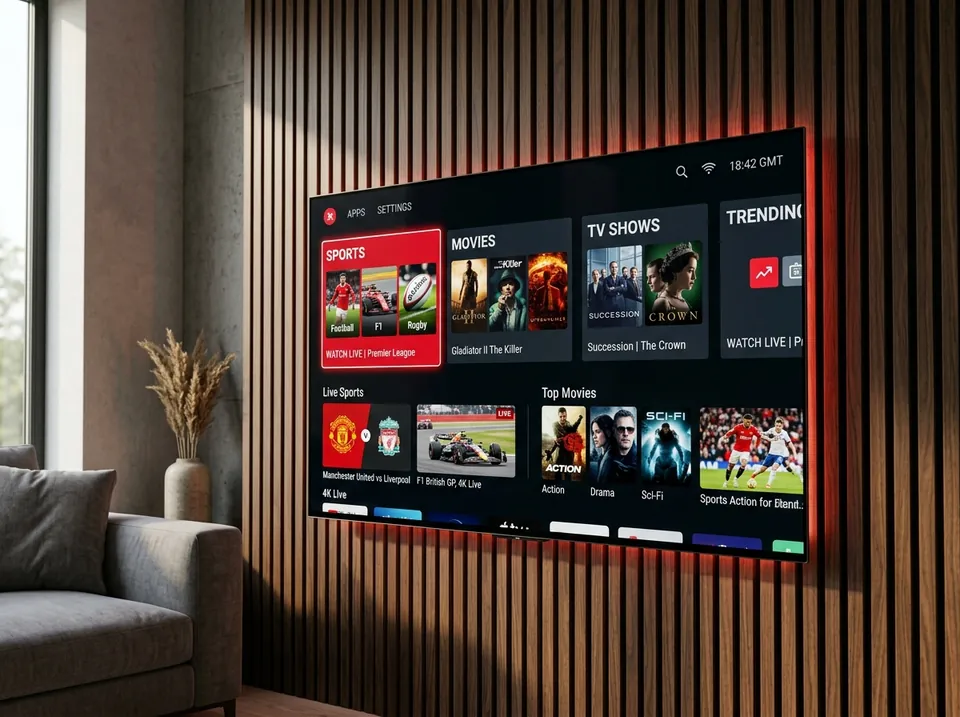
IPTV subscriptions bundle three kinds of content. You’ll see these terms on every provider’s site, so here they are once, plainly:
- Live TV — channels broadcast in real time, the way they always were. Football at 3pm, the news at 6. This is the core of the product.
- VOD (video on demand) — a library of films and box sets you start whenever you like. Netflix’s whole model, bolted onto the side of your live channels.
- Catch-up / time-shifted TV — recent broadcasts stored on the provider’s servers, so you can rewind a live programme or watch from the start even if you arrived late. Usually available for a window of a few days after broadcast — no DVR box or physical storage at your end.
If a provider advertises catch-up but the programme guide doesn’t work, catch-up usually doesn’t either — the two share the same data feed. Our EPG explained explains how that plumbing works and what to do when the guide goes blank.
What do I need to get IPTV?
Users ask this constantly, and the answer is mercifully short. Three things:
- Broadband. A stable connection — roughly 25 Mbps per 4K stream, 13 Mbps for Full HD, 8 Mbps for HD. Not your advertised speed, your stable speed; stability matters more than the headline number. Our speed and bandwidth guide shows you how to test what you’ve actually got.
- A device. Anything with a screen and an internet connection: Firestick, smart TV, Android TV box, phone, tablet, laptop.
- A subscription. Login credentials from a provider — usually an M3U playlist link or an Xtream Codes login (server URL + username + password). You enter these into a player app, and the channels appear.
That’s it. No engineer visit, no dish on the wall, no box bolted under the TV.
Does IPTV work on a smart TV, or do I need a set-top box?
Both. The hardware barrier is lower than most people expect:
- Smart TVs (Samsung, LG, Sony, Android TV) run player apps directly — Smart IPTV, IBO Player, TiviMate and others all have smart TV versions. No stick needed.
- Firesticks remain the UK’s favourite way in: cheap, fast, and every player app either has a Fire TV version or can be sideloaded.
- Phones, tablets, laptops — apps for all of them, on the same subscription.
- Dedicated IPTV boxes (MAG boxes, Formuler) still exist and use a “portal URL + MAC address” login, but most newcomers never need one.
Device-by-device instructions live on our all devices covered — pick your device there rather than wrestling with a generic guide that wasn’t written for your TV.
What do the login details actually look like?
When you buy a subscription — or start a trial — the provider sends you one of three things. Knowing which one you’ve got tells you what to do with it, and every user who has stared blankly at a credentials message has asked this:
- An M3U (or M3U8) URL — one long web link. You paste it into a player app’s “Add playlist” screen and the channels, films and (sometimes) the guide load from it. It’s a text file under the hood, and it’s the most universal format: VLC, Kodi, smart TVs and browsers all read it. The full explanation lives in our what an M3U playlist is.
- An Xtream Codes login — three fields: a server URL, a username and a password. You choose the “Login with Xtream Codes API” option in the app and type (or paste) the three. Shorter than an M3U link, and the app pulls channels, the programme guide and on-demand content in organised categories automatically. See the Xtream Codes API walkthrough for the field-by-field version.
- A portal URL + MAC address — mostly for MAG and Formuler boxes. The portal URL is the web address your box loads at startup to pull down channels, guide and VOD; the MAC is the box’s unique hardware identifier, which the provider registers so your box is recognised without typing a username and password.
If your provider sent you credentials and you don’t know which type they are, the message usually says “M3U” or “Xtream” somewhere. If it doesn’t, ask them — that’s a normal question, not a silly one, and any provider worth paying answers it in minutes. Ours does, on WhatsApp, and the setup walkthrough takes you through what to do with each type step by step.
Does IPTV need fast internet?
“Does IPTV need internet” gets asked alongside the definition, so here’s the short version: yes, obviously — the whole thing arrives through your broadband. What surprises people is how little speed it needs versus how much stability it needs.
Rough numbers that the community and providers agree on: about 25 Mbps of stable speed per 4K stream, ~13 Mbps for Full HD, ~8 Mbps for HD. A typical UK fibre connection clears 4K several times over. The thing that ruins matches isn’t a 40 Mbps line being “too slow” — it’s an unstable line dipping and spiking during the stream. Stability beats raw speed, every time. The broadband speed guide has the full testing walkthrough, including why your phone’s speedtest can say 100 Mbps while the match still buffers.
Three myths about IPTV worth killing early
“IPTV means piracy.”
No. IPTV means TV over the internet. BT TV, BBC iPlayer and every broadcaster’s catch-up app are IPTV. The word got tangled up with piracy because some sellers use the technology to resell content they have no rights to — but the technology is as neutral as the postal service.
“More channels = better service.”
No. Community wisdom from people who’ve bought the cheap plans: 10,000 working channels beat 100,000 broken ones. A giant channel count with a dead guide and freezing sports is worth nothing on a Saturday.
“You need a VPN for IPTV.”
No — you don’t need one to use the service at all. Some viewers keep one as a backup because a small number of UK broadband users report peak-time interference with streams, but that’s a network issue, not an IPTV requirement.
Is IPTV legal in the UK?
The short answer, and the one worth leading with: IPTV technology is completely legal — the BBC uses it, Sky uses it, Netflix is it. What matters is the provider and the content. Selling or streaming copyrighted channels without the rights holder’s permission is fraud, and UK enforcement in 2026 has put operators in prison for it. Enforcement targets sellers, not viewers — but that’s the headline version, and the details matter.
Read the full picture, with the actual cases and dates: UK legality explained.
So what should I do next?
Now that the technology makes sense, the useful next steps depend on where you are:
- Thinking about switching? Compare the real maths — including broadband, TV licence and PPV costs — in our IPTV vs Sky breakdown.
- Ready to set up? The universal setup guide walks through install-app → enter login → sync the guide, plus the failures everyone hits.
- Wondering about cost? Honest pricing — one price for everything, renewal price identical to signup, no auto-renewal.
- Want the full channel picture first? Browse what’s actually on — 45,000+ live channels and 60,000+ VOD, including every Premier League game and included PPV.
- Want more explainers? Browse the guides hub — setup, legality, speed, EPG and the Sky comparison.
Start with a free 24-hour trial
The fastest way to understand IPTV is to use it — on your broadband, on your device, during a live match. Our 24-hour trial gives you the full channel list, the full VOD library and the full programme guide. No card, no commitment: message us on WhatsApp at +44 7877 162001, get your login in minutes, and test it at 3pm on Saturday. That’s the only demo that tells you anything. Or start at IPTV UK’s homepage for the short version.
Experience IPTV on Your Own Screen
Get both M3U and Xtream Codes credentials sent directly to your phone. Experience sub-second channel zapping, 50fps UK sports, and full 7-day EPG metadata.