
What is an M3U URL, exactly?
An M3U URL is a web link pointing to a plain text file that lists stream addresses. That’s it. The file contains lines of text: channel names paired with the addresses of their video streams. Your player app downloads the file, reads the list, and presents it as channels.
The community’s favourite framing: “M3U is a simple text file — a long list of stream links you paste into the player,” versus Xtream Codes, which is “a login (server + username + password) that connects the app directly to the provider’s server.” One is a document you hand the app; the other is a key you log in with.
You’ll see it written as M3U or M3U8 — functionally the same thing for your purposes. The link usually looks like http://provider.tv:8080/get.php?username=xxxx&password=yyyy&type=m3u_plus&output=ts. Don’t try to memorise the structure; just know that the username and password are baked into the link itself, which is why the whole thing is so long.
M3U vs M3U8 & Extended Syntax Breakdown
Technically, .m3u originates from standard MP3 audio playlist files, while .m3u8 specifies UTF-8 character encoding, allowing multi-language channel names, special characters, and non-Latin typography. In modern IPTV, virtually all feeds use the Extended M3U Plus format:
#EXTM3U
#EXTINF:-1 tvg-id="SkySportsMainEvent.uk" tvg-name="Sky Sports Main Event FHD" tvg-logo="https://..." group-title="UK | SKY SPORTS",Sky Sports Main Event 50fps
http://provider.tv:8080/live/username/password/1042.ts
What do I do with the M3U link?
The setup-language users repeat everywhere: Add playlist → M3U URL (or “Load Your Playlist or File/URL” → paste the link → Add User). In practice:
- Copy the full M3U link from your provider’s message — every character, no trailing space.
- In your player app, choose Add playlist and select the M3U / playlist-URL option.
- Paste the link, give the playlist any name, and add it.
- Wait for the channels to load (fast), then the guide (minutes on first sync — normal).
The full universal flow, including what to do when login fails, is in our setup guide. The M3U-specific pain point is step 2’s pasting — see below.

How do I get the M3U link onto my TV? Typing it with a remote is painful
This is the M3U experience’s worst minute, and everyone asks about it. A 200-character URL typed with a TV remote’s on-screen keyboard is a special kind of suffering — and one mistyped character breaks the whole thing. Three workarounds the community actually uses:
- Email it to yourself. Send the link from your phone to your own email, open the email in the TV’s browser, copy-paste into the app. Clunky but reliable.
- QR code. Generate a QR code from the link on your phone (any free generator), display it, and open it on the TV. Fastest method on smart TVs with a browser.
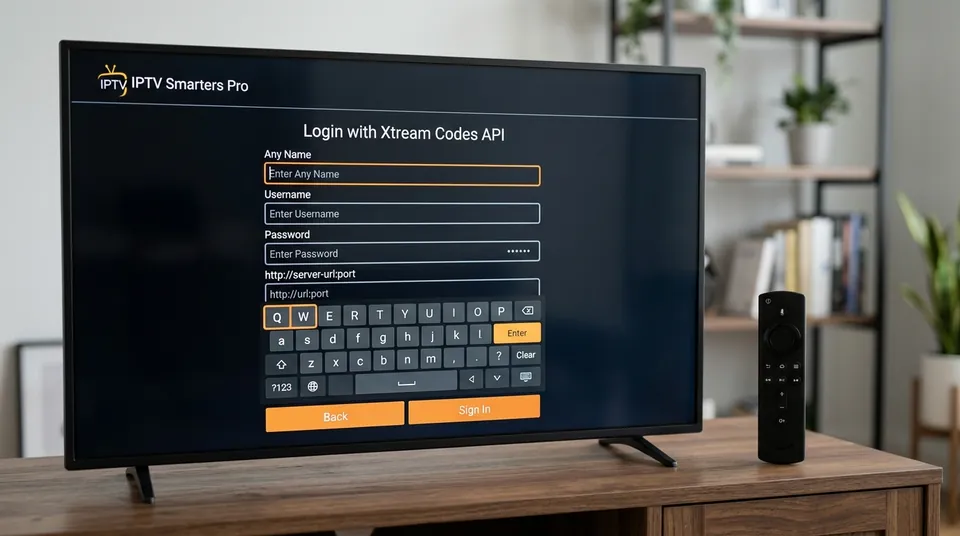
- Skip the typing: use the Xtream login instead. If your provider gave you both formats — and any decent one does, we include both with every subscription — the Xtream server URL + username + password are dramatically shorter to type. Same channels, less thumb-typing.
A fourth option for the patient: some smart TV apps (notably Smart IPTV) let you upload the playlist through the app’s website on your computer by entering the TV’s MAC address — no typing on the TV at all. Check the the apps page for which apps support this.
What’s the difference between a static M3U file and my subscription’s M3U URL?
This distinction matters more than it looks, because “M3U” means two very different things:
- Your subscription’s M3U URL is dynamic. It’s generated per user, tied to your account, and refreshed automatically by the provider. Channel changes, new VOD additions and fixes flow through without you touching anything. If your subscription expires, the link dies — which is why “my m3u stopped working” usually means “my sub lapsed.”
- Public free M3U files are static. These are fixed text files recirculated on forums and Telegram groups — “free m3u playlist 2026” search results. They’re snapshots: channels die constantly, nobody maintains them, and a list that worked on Monday is half-dead by Friday. They’re also the lists most likely to vanish mid-match.
The rule of thumb: a dynamic subscription URL is a service; a static free file is a lottery ticket. If you’re comparing providers, ask whether the M3U link is per-user and auto-updating. If a “provider” is just reselling a static file, you’ll know within a week.
Why is my M3U playlist not loading? (“Invalid M3U URL”)
The failure ask comes in two flavours, both common:
“Invalid M3U URL” / playlist won’t add at all:
- Truncated paste. The link got cut off when copying — the most common cause. Compare the pasted length against the original; M3U links are long and messaging apps love to wrap them.
- Trailing spaces or line breaks. Copying from WhatsApp or email drags invisible characters along. Paste into a notes app first, trim, then paste into the player.
- Expired subscription. A dead dynamic link behaves exactly like a broken one. Check the sub is active before debugging the link.
- Wrong field. You pasted the M3U link into the Xtream Codes fields (or the portal URL field). The formats aren’t interchangeable at the app’s add-playlist screen.
Playlist adds but shows no channels:
- Give it a minute — large lists take time to parse on first load.
- Check you’re not behind a connection limit (one stream per sub on most plans; an active stream elsewhere can block the new device).
- If some channels load and others don’t, that’s the provider’s source feeds, not your link.
Still stuck? The universal setup guide has the full login-failure checklist, and our WhatsApp support (+44 7877 162001) will check your link directly — send us the exact error message and a screenshot.
Can I use M3U on any device or app?
Yes — and this is M3U’s genuine superpower. Because it’s just a text file of links, near-universal compatibility is the format’s whole pitch:
- VLC media player (desktop and mobile) opens M3U links directly — no IPTV app needed at all.
- Kodi reads M3U through its PVR clients.
- Smart TVs — Smart IPTV, IBO Player and most TV apps accept M3U URLs.
- Firestick / Android — TiviMate, IPTV Smarters Pro, XCIPTV and virtually every player.
- Web browsers — paste the link into several web players for a quick test without installing anything.
If an app plays IPTV at all, it almost certainly accepts an M3U URL. That’s why providers still issue them alongside Xtream logins: it’s the format that works everywhere, including the odd device the Xtream API doesn’t reach.
Can I convert M3U to Xtream Codes?
The misunderstanding ask, and the answer is no — not really. They look similar (both get you channels) but they’re different systems: an M3U link is a static document of stream addresses; an Xtream login is credentials for an API that the app queries live. You can’t derive API credentials from a text file.
What you can do: ask your provider for the Xtream login for the same subscription. Any provider running the standard server software can issue both from the same account — they’re two doors into the same house. We send both with every subscription and trial, so you never need to convert anything.
(The reverse — getting an M3U link out of an Xtream login — is possible through some players, but as the community puts it, it’s more efficient to just input the API credentials directly.)
Can I edit my M3U playlist?
Yes — and this is M3U’s other real advantage. Because it’s a text file, you can download it, open it in any text editor, and:
- Delete channels or whole categories you’ll never watch (the 45,000-channel firehose becomes a curated list).
- Reorder or regroup channels the way you want them.
- Merge lists — combine a subscription playlist with a free-to-air list, for example.
Then load your edited file into the player instead of the provider’s URL. The trade-off: your edited copy is now static — it won’t pick up the provider’s updates. Most users who go down this road re-download and re-edit every few months, or just use the app’s built-in favourites instead (simpler, and it survives provider updates). For most people, favourites beat file editing.
Why is the channel list one giant ungrouped mess?
The M3U organisation complaint is real and specific: paste the link, and some apps present every channel as one enormous flat list with patchy guide data. Why it happens: a bare M3U file carries channel names and stream addresses, but grouping and guide data are optional extras in the format. Whether you get neat categories and a full EPG depends on how the provider built the file and how clever your player app is at interpreting it.
Two fixes:
- Use a smarter player. TiviMate and IPTV Smarters Pro parse M3U grouping far better than basic players — categories appear, the guide attaches, VOD separates from live TV.
- Use the Xtream login instead. This is the heart of the M3U-vs-Xtream debate: Xtream pulls categories and the full programme guide automatically and keeps on-demand content separate, because the API tells the app how everything is organised. As users describe it, M3U gives you “one enormous ungrouped list with patchy guide data” while Xtream “pulls categories and the full EPG automatically.”
The honest summary: M3U is the universal, editable, works-everywhere format with weaker organisation. Xtream is the slicker, better-organised login that needs an app with API support. Most apps support both — many users keep both configured and switch depending on the device. Our Xtream Codes setup makes the other case.

M3U, EPG and catch-up: what to expect
One M3U-specific wrinkle: the playlist link doesn’t always bundle guide data. Some providers include it; others send a separate XMLTV URL — the guide-data file your player reads to build the on-screen guide. If your channels loaded but the guide is empty, check whether you were sent a second link and add it in the app’s EPG settings. (Xtream logins bundle all of this automatically — another point in that column.)
Catch-up works over M3U where the provider supports it, but it’s clunkier: the app has to know which streams have archive data, and without the API’s metadata it sometimes guesses wrong. If catch-up matters to you — rewinding the match you missed — the EPG and catch-up guide explains how it works and which setup serves it best.
What is a portal URL, and what is my MAC address for?
Two terms that orbit M3U discussions and confuse newcomers — they belong to the third login method, used by MAG and Formuler boxes rather than apps:
- Portal URL — the web address your box loads at startup to pull down channels, guide and VOD. Think of it as the box’s homepage: it points the box at your provider’s server and everything else follows.
- MAC address — the box’s unique hardware identifier. The provider registers it on their side, so the box is recognised automatically — no username or password typed, ever.
The software behind this is called Stalker Portal (renamed to Ministra years ago, though everyone still calls it Stalker). You’ll only meet it if you buy a dedicated IPTV box; app users on Firesticks, smart TVs and phones live entirely in M3U-and-Xtream land and can safely ignore it.
Try both formats free for 24 hours
Every subscription and trial we send includes both the M3U playlist URL and the Xtream Codes login — same channels, same VOD, same guide. Test the M3U link in VLC on your laptop, the Xtream login in TiviMate on your Firestick, and see which you prefer. The the free trial needs no card: message +44 7877 162001, tell us your device, and both logins arrive in minutes with the app we’d recommend for it. More format explainers in the complete guides library.
Get Your M3U Plus URL & Xtream Codes API
Every trial and subscription includes both a dynamic, auto-refreshing M3U8 link and rapid Xtream API credentials. Test both across your devices with zero commitment.