
The IPTV EPG Guide: Setup, Time-Shift and Blank-Guide Fixes
The EPG — the electronic programme guide, the “what’s on now and next” grid — is the difference between IPTV feeling like proper TV and feeling like a folder of video files. It’s also the single most complained-about part of any subscription: blank guides, wrong times, vanished listings. This page covers what the EPG is, how to set it up, how time-shift and catch-up relate to it, and the diagnostics for every common failure. Buffering and freezing are a different department — that’s the why IPTV buffers.
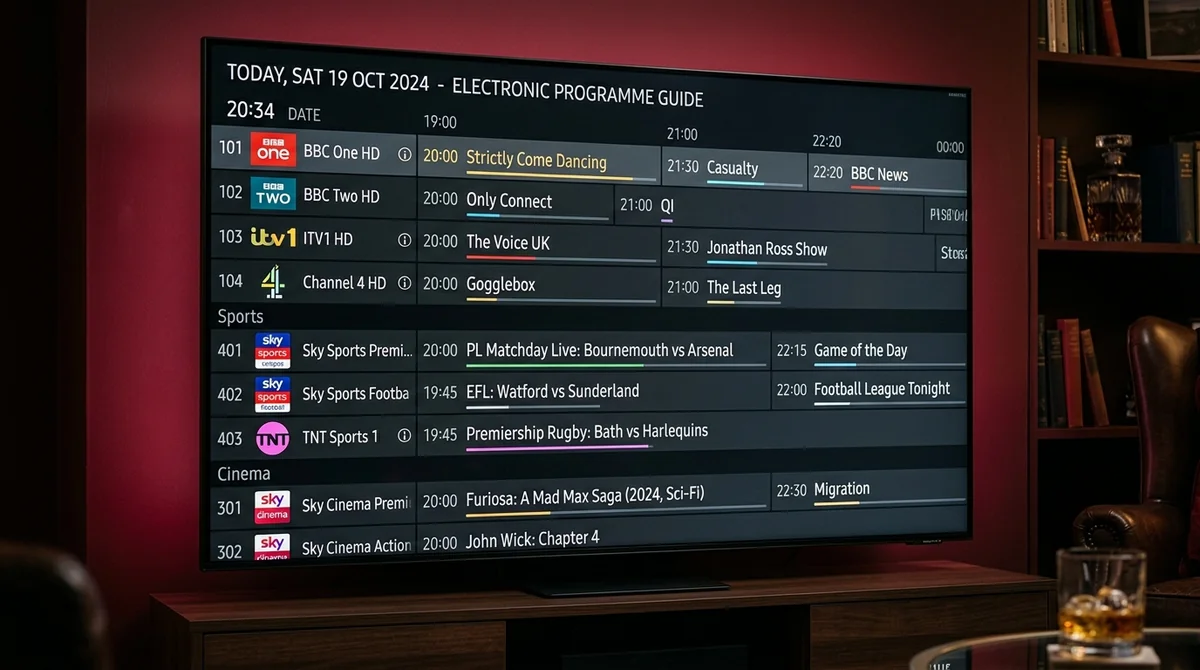
What is an EPG, and what is XMLTV?
The EPG is the TV guide — the on-screen grid showing what’s on now, what’s next, and what’s coming this week, per channel. If you’ve ever used Sky’s or Freeview’s guide, you know exactly what it is. IPTV’s version does the same job; it just gets its data differently.
XMLTV is the file your player reads to build that guide on screen. It’s a standard format for TV-listing data: channel IDs matched to programme titles, descriptions, start times and end times. Your provider maintains (or buys) an XMLTV feed; your app downloads it, matches each entry to a channel, and renders the grid.
The relationship users should internalise: no XMLTV data → no guide. The app can’t invent listings. Every “guide is blank” mystery ends at one of two places — the data didn’t arrive, or the app didn’t match it to the channels. All the diagnostics below are just ways of finding out which.
How do I set up the EPG?
It depends on your login type — and this is one of the genuine practical differences between them:
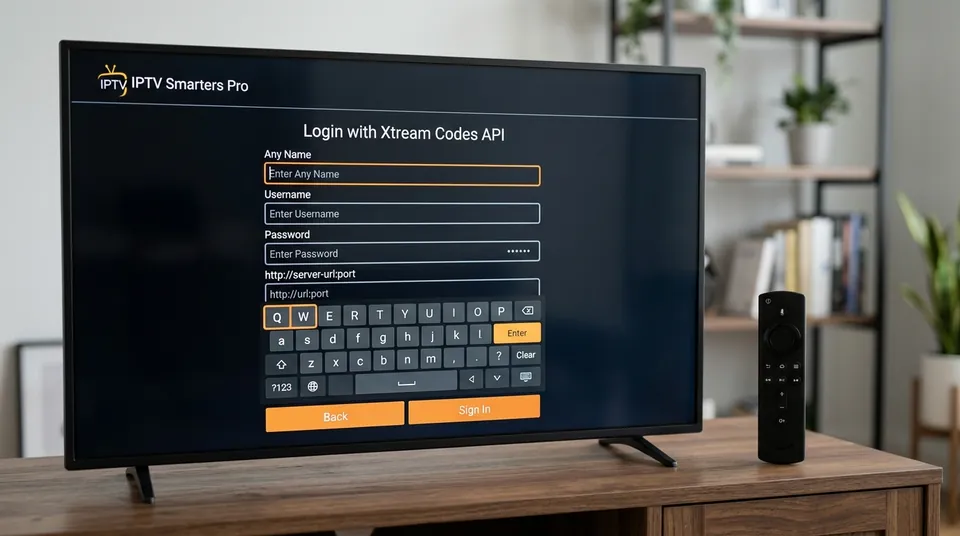
Xtream Codes login: the guide arrives with the login. The API serves guide data per channel automatically — no separate URL, no extra step. If the guide is blank on an Xtream login, the problem is never “you forgot to add the guide” — it’s assignment, timing, or the provider’s data. (Diagnostics below.)
M3U playlist: the playlist link sometimes bundles guide data and sometimes doesn’t. If your provider sent a separate EPG/XMLTV URL — a second long link — add it in the app’s EPG/guide settings (“EPG source” or “XMLTV URL”). Without it, you get channels and no listings.
After adding it:
- Wait for the first sync — several minutes, normal, once only.
- In TiviMate, assign the EPG to the playlist — having it enabled isn’t enough; it must be attached to the playlist. This single step resolves a remarkable number of “guide enabled but empty” reports.
- Set the guide to refresh daily (overnight) so listings don’t drift or go stale.
In some apps you can also assign guide data per channel — matching a channel with no listings to the correct guide entry manually. Tedious across 45,000 channels, but useful for the handful you actually watch if the automatic matching missed them.
EPG Configuration Methods by Player App
| App / Player | Xtream Codes EPG | M3U XMLTV Source | Playlist Assignment Step | Manual Per-Channel Mapping |
|---|---|---|---|---|
| TiviMate | Automatic link | Settings → EPG Sources → Add | Crucial: Playlists → [Playlist] → Main EPG | Long-press → Assign EPG |
| IPTV Smarters Pro | Built into login | Settings → EPG → Install EPG | Automatic on login | Limited |
| IBO Player / Smart IPTV | Server URL portal | Web portal upload field | Assigned at portal upload | None (provider IDs only) |
| Kodi (PVR Simple) | Via M3U/XMLTV URL | Add-on config → EPG settings | Direct path binding | Via m3u channel tags |
Why is my EPG blank / not loading?
The #1 EPG complaint. Channels work, the grid shows nothing — or the forum classic: “my epg vanished… says loaded 2900 channels but doesn’t show info.” Work through these in the order users teach each other:
- Wait. First sync takes minutes. If you checked the guide 60 seconds after adding the playlist, nothing is wrong yet.
- Check the EPG is assigned to the playlist. TiviMate’s most common gotcha: the guide is enabled globally but not attached to the playlist. No assignment → no listings, on every channel.
- Add the separate XMLTV URL if you’re on M3U and your provider sent one. Channels without guide data bundled need it.
- Refresh the EPG manually, then confirm daily auto-refresh is on.
- Restart the app (fully close it, not just background it) and let it re-sync.
If the guide is blank on every channel after all that, the problem is upstream — the provider’s guide source. And here’s the diagnostic that separates app problems from provider problems: try a second player app, or a second device. Guide missing everywhere, on everything? Provider’s data feed. That’s not something any setting at your end fixes — message them. Our guide-not-updating troubleshooter walks the same path as a checklist, and our WhatsApp support (+44 7877 162001) can check the feed directly.
Why does the guide work on some channels but not others?
The partial-EPG confusion — and the answer is the most honest sentence in this whole guide, borrowed from a video explainer users pass around: “if EPG works on some channels but not others, your box and app are doing their job.” The provider simply has no guide data for those channels, and no setting invents missing data.
Why the gaps exist: guide data is compiled per channel per region, and providers prioritise the channels most people watch — UK mainstream, major sports, big internationals. Obscure channels, regional variants and some international feeds get patchy or no listings. It’s a data-coverage problem, not a technical fault.
What you can do about it:
- Per-channel EPG assignment — in TiviMate and similar apps, manually match the affected channel to the correct guide entry. Worth doing for channels you actually watch.
- An additional EPG source — some apps accept a second XMLTV URL to fill gaps. Community-maintained guide sources exist, though quality varies.
- Accept the gaps — for channels you watch rarely, the “now/next” banner (which comes from the stream itself, not the guide) usually still works.
What you can’t do: fix it with a setting. If a provider’s sales page promised “full EPG on all 45,000 channels,” that was marketing — no provider on earth maintains guide data for every channel in a list that size. We publish a 7-day guide on the channels people actually watch and say so upfront.
Why is my EPG wrong by an hour? (Time-shift / offset settings)
The #2 EPG complaint: every programme listed an hour early or late — the guide works, it’s just shifted. Causes, in order of likelihood:
- Wrong device timezone. Check the device’s date, time and timezone first, before touching anything in the app. A Firestick set to the wrong region shifts the entire guide. This causes more time-shift grief than every other cause combined — daylight-saving changes catch people twice a year.
- The EPG time-shift / offset setting. Apps offer a global shift (e.g. +1 / -1 hour) applied to all guide data, and some offer per-channel offsets. If the device timezone is correct and the guide is still off by exactly one hour, adjust the global offset by that hour.
- Daylight-saving transitions. Guide feeds and devices sometimes disagree for a day or two around the clock change. Usually self-resolving; a manual EPG refresh hurries it along.
The order matters: device timezone first, offset setting second. Users who go straight to the offset end up with a correct-looking guide built on a wrong clock, which breaks again at the next clock change.
How often should the EPG refresh?
Daily. That’s the community consensus and it’s correct: a daily refresh (overnight, when you’re not watching) keeps listings accurate without hammering the provider’s servers or slowing the app. Weekly refresh lets the guide drift — programmes move, and a week-old guide is fiction. Manual-only refresh means you’ll forget, and the guide will go stale exactly when you need it for Saturday’s fixtures.
One caveat: after any manual change — new playlist, new XMLTV URL, timezone fix — trigger one manual refresh immediately rather than waiting for the overnight cycle.
Can I hide the channels I never watch from the guide?
Yes, and you should — a 45,000-channel guide is unusable until you curate it. Every serious player lets you hide whole categories (goodbye, 400 shopping channels) and build a favourites group of the 30–50 channels you actually watch. It also speeds things up: fewer channels means a smaller guide download and a snappier EPG on older boxes. In TiviMate’s favourites system this is long-press → add to favourites, then filter the guide to favourites only; most other apps have an equivalent. Do this once, properly, and the guide goes from overwhelming to genuinely useful.
What is catch-up TV, and how does it relate to the guide?
Catch-up is the feature users ask about once the guide works: recent broadcasts stored on the provider’s servers, playable from the guide for a window after airing (commonly up to several days). Missed the match? Open the guide, scroll back to it, watch from the start. No DVR box, no recording, no storage at your end — “DVR-like functionality without physical storage,” as one write-up puts it.
The guide is catch-up’s front door: you browse backwards through the EPG to find programmes inside the catch-up window. Which means catch-up quality tracks guide quality — a provider with a broken or patchy guide usually has broken or patchy catch-up, because both ride the same data feed.
Can I pause and rewind live TV? Only where the provider offers catch-up or archive on that channel. Some setups also buffer locally while you watch (pause works, rewind-to-before-you-started doesn’t). If timeshifting live TV matters to you, confirm catch-up is included on your plan — on ours it is, on every plan, with a 7-day window.

Do I need to assign the EPG to each channel manually?
Usually no — automatic matching handles the vast majority of channels on a decent provider feed. Manual assignment is the fix for the exceptions: the channels you watch that show “no EPG data” while everything around them has listings. In TiviMate: long-press the channel → assign EPG → pick the correct guide entry. Five minutes for your dozen favourite channels beats waiting for a provider to fix matching on theirs.
If you’re assigning EPG entries to hundreds of channels by hand, something is wrong upstream — the feed’s channel IDs don’t match the playlist’s, and that’s the provider’s fix, not yours. Message them (or us: +44 7877 162001) rather than spending an evening on it.
Why does the guide show the wrong programmes on a channel?
A subtler failure than a blank guide: the grid is populated, but the listings don’t match what’s actually on — a news channel showing soap listings, a sports channel an hour of “to be announced.” This is a channel ID mapping problem: the guide entry got matched to the wrong channel.
How it happens: the app matches each channel in your playlist to a guide entry by ID. When a provider renames channels, shuffles categories or merges feeds — routine maintenance on their side — some IDs stop matching cleanly, and the app attaches the nearest (wrong) entry. It’s most common right after a provider-side channel update, and on regional variants (the app grabs “Channel 4” listings for “Channel 4 +1”, or the wrong country’s feed of an international channel).
Fixes:
- Manual per-channel assignment — reassign the affected channel to the correct guide entry, as above. This is the reliable fix.
- A full EPG refresh after the provider announces channel changes — stale cached mappings cause most of these.
- Report the pattern — if it’s the same ten channels every week, that’s feed maintenance the provider needs to do. Tell them which channels; “the guide is wrong” is less actionable than “Sky Sports Main Event shows BBC One listings.”
Persistent mismatches across many channels are a feed-quality signal — one of the quieter ways to judge a provider. A provider that maintains clean guide data is maintaining everything else too.
The EPG health checklist
Pin this to the fridge (mentally):
- [ ✓ ] Guide added (Xtream: automatic · M3U: XMLTV URL added if provided)
- [ ✓ ] EPG assigned to the playlist (TiviMate — enabled isn’t enough)
- [ ✓ ] First sync given several minutes
- [ ✓ ] Device date, time and timezone correct
- [ ✓ ] Time-shift offset at 0 unless you know why it isn’t
- [ ✓ ] Daily auto-refresh on
- [ ✓ ] Gaps on obscure channels accepted as data coverage, not faults
- [ ✓ ] Guide blank everywhere, on every device → provider issue, message them
Get those right and the guide becomes what it should be: invisible. You only notice an EPG when it’s broken — which is exactly why this page exists. For the full channel list the guide covers, browse what’s on; to see the whole thing working on your own device, start the free 24-hour trial — full guide included, no card — via WhatsApp at +44 7877 162001. More explainers in the guides hub.
Experience a Flawless TV Guide on Your Device
Test our fully synchronized UK EPG feed with complete 7-day schedules for Sky Sports, TNT Sports, and all major entertainment channels. Delivered via WhatsApp in under 5 minutes.