
IPTV on Android TV & Google TV — the Easy-Mode Guide
If Samsung and LG owners fight their TVs’ operating systems, Android TV owners don’t fight anything. TiviMate installs straight from the Google Play Store like any other app. No sideloading, no USB rituals, no “which OS” detective work. This is the platform the community recommends when someone asks “what should I buy for IPTV” — and this page covers the setup, the TiviMate free-vs-premium question, which boxes are worth it, recording, and VPNs. Firestick owners have their own Firestick guide (different OS, different quirks); every other TV platform is on the all our device guides.
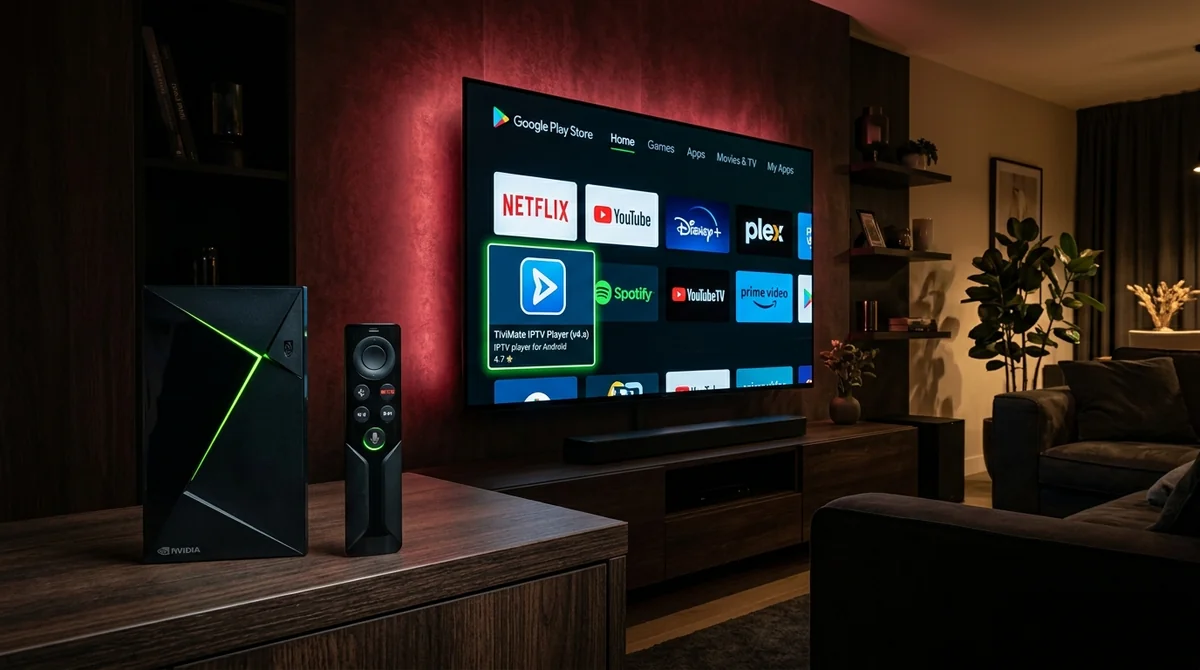 Android TV & Google TV • The Ultimate Easy-Mode
Do You Need to Sideload TiviMate on Google TV?
No — and this is the single biggest beginner confusion on the platform. Because every Firestick guide talks about sideloading, newcomers assume TiviMate always requires it. On Android TV and Google TV, TiviMate is a normal Play Store install. Search, install, open. The sideloading dance belongs to Fire OS sticks and to nothing else here.
Same goes for the other players: IPTV Smarters Pro, OTT Navigator, Televizo, Kodi — all in the Play Store. If your TV or box runs Android TV or Google TV (Sony BRAVIA, TCL, Philips, Chromecast with Google TV, Nvidia Shield, Xiaomi boxes), the app question is “which player,” never “how do I install it.”
Why the Official Play Store Route Wins
Installing directly from the Google Play Store gives you automatic background updates, direct Google Play billing for TiviMate Premium licences, and zero risk of downloading compromised APK files from third-party hosting portals.
How to Set Up IPTV on Android TV
The community’s standard routine:
- Open the Google Play Store, search “TiviMate” (or IPTV Smarters Pro), install.
- Open the app → Add playlist → choose Xtream Codes login. Enter the server URL, username, and password from your provider. (M3U URL + separate EPG URL works too, but Xtream is the forum favourite — “simpler and more reliable.”)
- Let the EPG populate — first load takes a few minutes on a full channel list. Don’t judge the guide until it’s done; set the EPG update schedule in settings.
- Organise favourites and groups, hide the categories you’ll never open, and you’re set.
Your login details arrive with any subscription — with us, on WhatsApp within minutes of the trial request — and the underlying tech is explained in our Xtream Codes login method if you’re curious what the three fields actually do. Want the general principles that apply on every device? Our IPTV setup guide covers those.
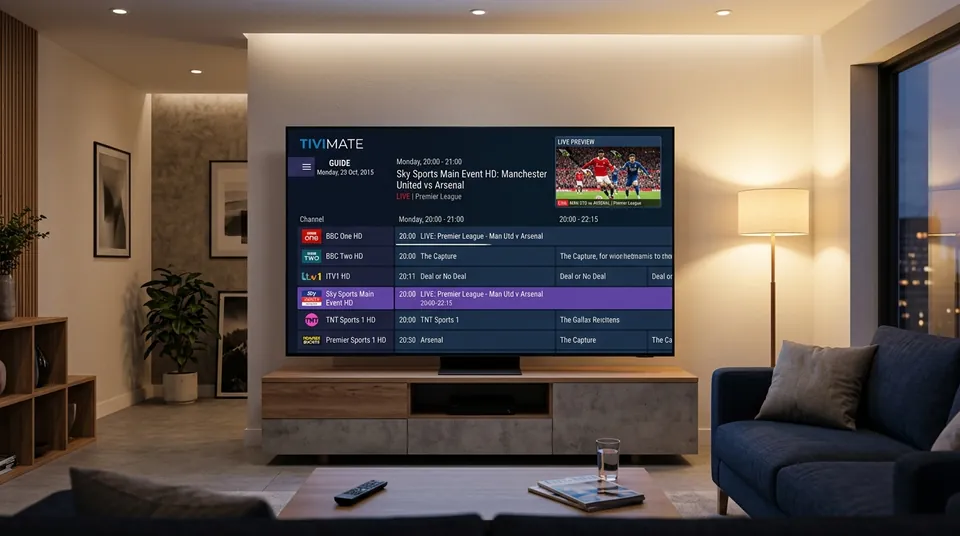 Xtream Codes API Sync • Instant Zapping Under 1s
TiviMate Free vs Premium: What Do You Actually Lose?
“TiviMate free vs premium — what do I actually lose” is a top-ten community question, and the answer is generous: the free version is already better than most alternatives. Free gets you the fast channel zapping, the excellent EPG layout, favourites, and multi-playlist support.
Premium — roughly $5 a year, with a lifetime option also available — unlocks:
- Catch-up / time-shift integration (scroll back through the guide and play)
- Recording (DVR) — schedule and save programmes to local/USB storage
- Multi-view — several channels on screen at once, built for sports days
- Auto playlist refresh and backup/sync of your settings
The forum verdict is near-unanimous: if you watch daily, premium is worth it. A few pounds a year for the best TV interface on the platform. Our the TiviMate page has the full breakdown.
TiviMate vs Smarters vs OTT Navigator on Android TV
The “best IPTV app android tv” debate has three serious contenders:
- TiviMate — the power user’s pick. Fastest zapping, best EPG, catch-up and recording behind premium. If you want the best interface, this is it.
- IPTV Smarters Pro — the beginner’s pick. Easiest Xtream Codes login, clean Live/Movies/Series tabs, free. Less customisable, but you can hand it to anyone in the family. Full review on our IPTV Smarters Pro page.
- OTT Navigator — the catch-up specialist, with the deepest time-shift support of the three (up to 14 days where the provider offers it) and a steeper learning curve. Worth it if catch-up is your main use case.
- Televizo — the free alternative that keeps coming up as “good enough if you won’t pay for premium.” Respectable, not exceptional.
There’s no wrong answer among the first three — it comes down to interface taste. Try TiviMate free first; it costs nothing to compare.
| Player App | Price | EPG Layout | Catch-Up Support | DVR Recording | Multi-View |
|---|---|---|---|---|---|
| TiviMate | Free / ~$5/yr or $34 Lifetime | Cable-Box Grid (10/10) | Yes (Premium) | Yes (Premium) | Up to 9 screens |
| IPTV Smarters Pro | 100% Free | Standard Tiles (7/10) | Yes (Built-in) | Basic local recording | 4-way split |
| OTT Navigator | Free / Freemium | Highly Customisable (8.5/10) | Deep Time-Shift (14 Days) | Yes | Picture-in-Picture |
| Televizo | Free / Optional Premium | Clean List Grid (8/10) | Yes | No | No |
What’s the Best Android TV Box for IPTV?
You don’t need much — “a bigger/expensive box is needed” is the misconception the community keeps correcting. A Chromecast with Google TV runs TiviMate perfectly. But the picks shake out like this:
- Best overall: Google TV Streamer / Chromecast with Google TV. Runs TiviMate natively, full Play Store, doubles as your Netflix/Spotify box. The “just buy this” recommendation for most people.
- Best performance: Nvidia Shield. Handles 4K best, “lightning-fast” channel switching on TiviMate, proper upscaling. Pricey — the power-user pick, not a requirement.
- Best for a dumb TV: any of the above plugged into HDMI. This is the community’s standard advice when someone’s smart TV runs a closed OS — our generic smart TV page explains the OS trap.
Ethernet matters more than box choice for 4K stability: hardwire the box if you can (“always hardwire streaming devices if possible” is verbatim community wisdom). If 4K football still stutters after that, work through our troubleshoot buffering before blaming the provider — and check what your line can actually carry in our speed requirements.
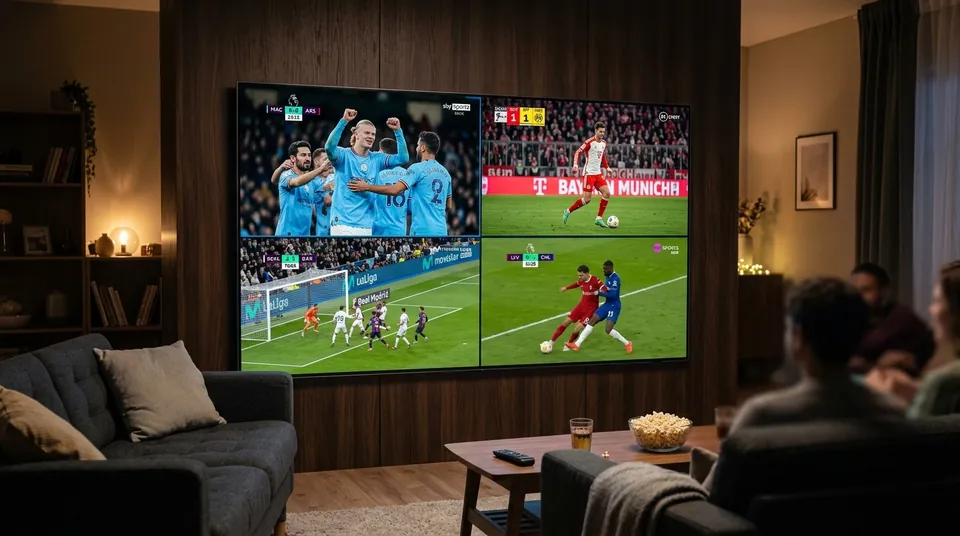 Nvidia Shield & Chromecast with Google TV Ready
Can You Record IPTV on Android TV?
Yes — and this is one of Android TV’s real advantages. TiviMate Premium’s DVR lets you schedule and save recordings to internal storage or a USB drive plugged into the box. It works well for Match of the Day-style time-shifting.
Two honest caveats the forums raise: recordings depend on the stream staying stable while you record (a provider-side wobble ruins a recording, not just a viewing), and storage fills fast at 4K bitrates. For most people, provider-side catch-up is easier than recording — scroll back in the guide and press play, no storage management. Every plan we sell includes 7-day catch-up as standard; the what the plans cost has the details.
Multiple Playlists and Power-User Setup
“How to add multiple playlists in TiviMate” comes up because Android TV owners are the ones most likely to run two providers (a main sub plus a backup, or a UK list plus a home-country list). TiviMate handles it natively: Settings → Playlists → add another Xtream Codes login, then merge or keep the EPGs separate. OTT Navigator and Smarters support multiple playlists too. Keep each playlist’s EPG update on a staggered schedule so they don’t all refresh at once and hammer your connection.
VPN Apps on Android TV: Install Directly, Test Honestly
Android TV is one of the platforms where VPN apps install natively from the Play Store — no router configuration needed. That makes the community’s standard diagnostic easy:
- Buffering? Turn the VPN off first. VPNs add latency and some providers block VPN IPs — “if they play fine with it off, the VPN was the problem.”
- Throttled at match time? Turn it on. If channels die specifically at 3pm on Saturdays while everything else works, your ISP is likely throttling streaming traffic and a VPN routes around it.
- The hotspot test settles arguments: stream over mobile data — if it’s clean, the problem is your ISP’s path, not the provider.
Don’t assume a VPN always helps. Test both states and keep whichever wins. Note the contrast with Samsung and LG TVs, which can’t run VPN apps at all — covered on our generic smart TV page.
Televizo vs TiviMate: Should You Bother with the Free Alternative?
“Televizo vs TiviMate” keeps appearing in the “best free” threads, so here’s the direct answer: Televizo is a respectable free player — clean interface, Xtream Codes and M3U support, multi-playlist — and if your budget for apps is strictly zero, it’s arguably the best free alternative to TiviMate’s free tier.
But be honest about what you’re comparing. TiviMate’s free version is already better than most paid alternatives, and its premium (a few pounds a year) unlocks catch-up, recording, and multi-view that Televizo doesn’t match. The community’s actual advice pattern: try TiviMate free first — it costs nothing — and only settle for Televizo if you specifically won’t pay for premium and find Smarters too basic. Most people who start on Televizo end up on TiviMate premium within a month; the price of a coffee for the best interface on the platform is the forum’s most repeated value judgement.
Android TV IPTV FAQs
Is the Google TV Streamer worth it for IPTV?
Yes — it’s the community’s “best overall” TiviMate box: native Play Store apps, smooth 4K, and it replaces your other streaming sticks too. You don’t need it (a Chromecast with Google TV does the job), but it’s the easy recommendation.
OTT Navigator vs TiviMate — which should I choose?
TiviMate for the best everyday interface and fastest zapping; OTT Navigator if deep catch-up/time-shift is your priority and you don’t mind a learning curve.
Can I use voice search with IPTV on Google TV?
The Google TV remote’s voice button works within the system and some players support voice input for search. It’s a nice-to-have rather than a core feature — favourites and the EPG grid do the heavy lifting.
Ready to Set Up Your Android TV?
Ready to set it up? Message our UK support team on WhatsApp — tell us it’s Android TV or Google TV and we’ll send your Xtream Codes login, recommend the right player for how you watch, and get your 24-hour free trial running in minutes. No card, no commitment.
Instant Android TV Setup on WhatsApp
Claim your 24-hour free trial credentials with zero credit card entry. Start watching live 50fps UK sports and entertainment right now on your TV.
Request Free Trial on WhatsApp