
IBO Player — Setup, Trial & Activation
IBO Player is the app most providers now recommend to Samsung and LG smart TV owners — the modern answer to Smart IPTV’s ageing setup ritual. Users and providers praise it as powerful and stable with big playlists, with a clean, modern interface, proper movie and series posters, subtitles, and PIN-protected multiple playlists. If SIPTV is the classic your old TV ran, IBO Player is what your new one probably should.
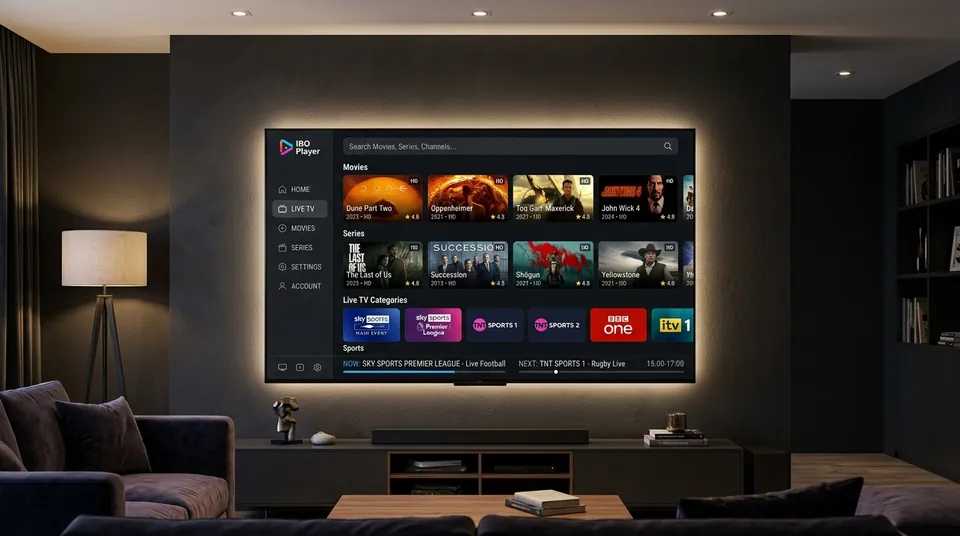
The community evidence for iBO is thinner than for TiviMate or Smarters. Most of what’s written about it comes from provider setup guides and activation-code sellers, not from large volumes of independent user discussion. So where the facts are soft — trial length, exact pricing — this page says so plainly instead of pretending certainty. What we’d tell you on WhatsApp is what’s written here.
Does IBO Player come with channels included?
No. Same rule as every player on this site: IBO Player is a player, not a provider. Open it fresh and you’ll see a Device ID, a Device Key, and an empty screen — no channels, no films, nothing to watch. The playlist comes from a separate IPTV subscription with a provider; the app is the frame it plays in. This gets corrected constantly in iBO discussions because reseller ads blur the line deliberately. Our an IPTV UK subscription supplies the login; IBO Player supplies the interface. Compare all five players on the IPTV apps hub.
How long is the IBO Player free trial?
Here’s where the hedging starts: community guides mostly report a 7-day free trial, and that’s the figure we’d quote first. But it hasn’t been consistent — an older long-form review reports 5 days, another source says 6. Trial length appears to have varied between app versions, so treat “7 days” as the majority report rather than a guarantee. The trial reportedly gives full access with no card required, which at least means you can properly evaluate it before paying anything. If the trial length matters to your decision, message us on WhatsApp and we’ll confirm what’s currently showing on a fresh install before you commit an evening to setup.
How do I add my playlist — M3U or Xtream Codes?
IBO supports both, and like every other player here, Xtream Codes is the better choice when your provider offers it: automatic categories, automatic EPG, and less parsing strain on the TV. The setup flow is a little different from other apps — you do the playlist work in a web portal, not on the TV:
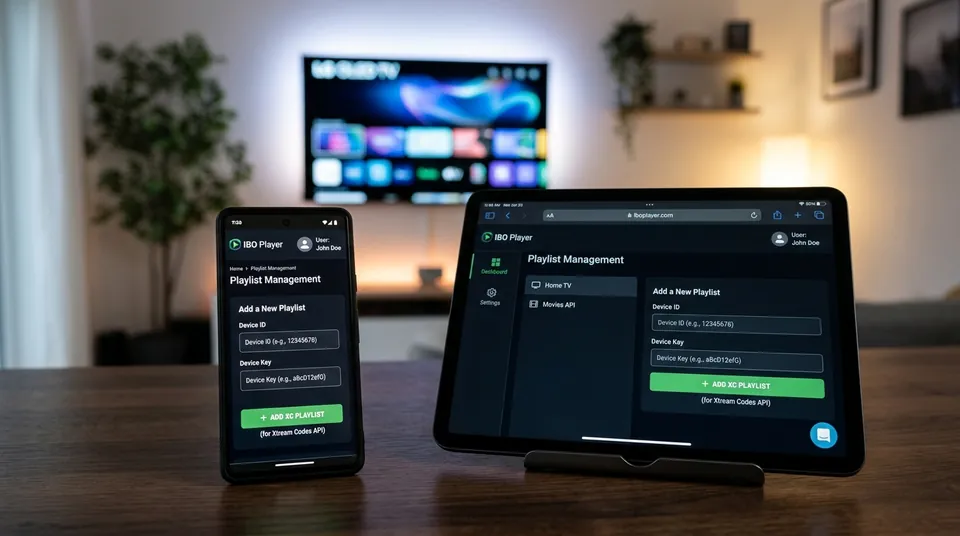
Our Xtream Codes guide covers the login format in detail. One reassuring fact users confirm: you don’t need to re-enter the playlist after activating — activation is detected automatically; a restart is enough.
How much does IBO Player cost? (What we can and can’t confirm)
The reported pricing picture, with the uncertainty left in:
-
•
Most guides report around €8–€10 one-time for a lifetime licence (specific figures seen: €9.99 on one portal, €10.00 at another checkout, 8 EUR in several guides). An older review mentions €5 for one year / €10 lifetime — treat that as outdated or variant tiering.
-
•
The licence is per device, not per account. One activation covers one TV. Buy a second TV and it needs its own licence — this is the most common billing surprise, and it’s worth knowing before you set up three televisions.
-
•
Ignore the outliers. One reseller site was spotted claiming £59.99 per year with no trial — that reads as reseller markup, not official pricing. Don’t pay it.
-
•
Payment is by card through the portal (Visa, Mastercard and PayPal all reported by users).
We can’t verify these figures against an official price list the way you’d check a shop till receipt — they’re user-reported, and they may have moved since. The €8–10 one-time range is the consistent centre of gravity. If you want the current figure confirmed before you pay, ask us on WhatsApp and we’ll check what’s live rather than guess.
Can I use one activation on multiple TVs?
No. One iBO licence = one device. This is the single biggest difference from TiviMate‘s model (one licence, five devices) and the source of most “I paid but my other TV still shows trial” complaints. Budget per television: if you’re putting IBO on the living-room Samsung and the bedroom LG, that’s two activations. The licence survives updates and reboots on the same device — you won’t pay again unless the TV itself is replaced.
How do I activate IBO Player after the trial?
When the trial ends, the app prompts you to activate. The flow, per community guides:
- Open the portal the app points you to (the on-screen address — don’t Google it fresh; see the lookalike warning below).
- Log in with your Device ID/MAC and Device Key.
- Choose Activate Device and pay by card.
- Restart the app on the TV. Activation is picked up automatically.
I paid but the app still shows trial — fix
The most reported activation problem. Work through it in order: wait a few minutes (activation can take a short while to propagate), restart the app, restart the TV, clear the app cache. Users report the licence appearing after a restart in the large majority of cases. If it’s still showing trial after all that, double-check you activated the right Device ID — activating one TV’s MAC while staring at another TV’s screen is an easy mistake in a multi-TV household, and the portal won’t warn you.
Is iboplayer.com the real activation site? (Lookalike warning)
This needs saying plainly because real money is involved: there are multiple lookalike domains — iboplayer.com, iboplayer.pro, iboplayer-app.com, iboproapp.com and variants — and users genuinely don’t know which is official. Third-party sites sell “IBO activation codes” through WhatsApp resellers at inflated prices, and the Facebook ad ecosystem around iBO is heavily seller-driven rather than organic discussion.
Our advice: only ever use the portal address shown on screen inside the app itself. Don’t click through from a Google ad, a Facebook seller, or a “cheap activation code” listing. If a deal looks much cheaper — or much more expensive — than the ~€8–10 range, that’s your signal something’s off. When in doubt, message us on WhatsApp and we’ll sanity-check the portal before you enter card details anywhere.
Why is my EPG showing “no information available” on iBO?
The blank-guide fix list for iBO mirrors the other players:
What iBO doesn’t do (know before you choose)
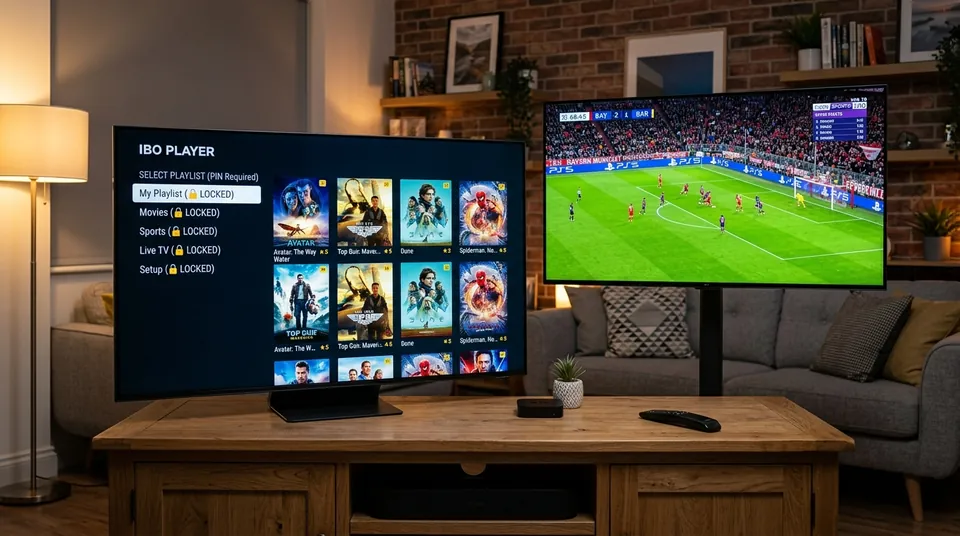
Two limitations come up consistently enough to mention: no recording function and no multi-screen — if you record from the TV guide or watch four matches at once, TiviMate on a Firestick is the stronger pick. What iBO does well is the smart-TV core job: stable playback of big playlists, a modern interface, multiple PIN-protected playlists, and themes you can customise. As one recurring community refrain puts it: for Android or iOS devices you have other choices — iBO’s natural home is the Samsung and LG television. Our Samsung TV and LG TV setup pages cover the device side.
IBO Player vs Smart IPTV — which for my Samsung/LG TV?
The community framing is consistent: SIPTV is the classic, iBO is the modern successor. SIPTV is long-running and familiar, but Samsung owners must USB-sideload it (removed from Samsung’s store in 2019) and its MAC-and-website setup confuses beginners. IBO installs from the app store, manages playlists through a cleaner web portal, and looks and feels current. If SIPTV already works on your TV, there’s no emergency. If you’re setting up a new set today, iBO is the path of least resistance. The full SIPTV picture — fees, MAC activation, the Keep Online trap — is on our Smart IPTV page, and the pricing page covers the subscription side that both apps need.
Ask us before you pay — we’ll confirm the current trial and price
Because iBO’s trial length and pricing move around and the lookalike-site situation is genuinely messy, we’d rather you asked than guessed. Message us on WhatsApp: we’ll confirm what’s currently showing for trial length and activation cost, point you at the right portal, and send your Xtream Codes login for the free 24-hour trial so you can test the full channel list in IBO before spending a penny on the app itself.
Message us on WhatsApp (+44 7877 162001) →Frequently Asked Questions
No. IBO Player is purely an interface decoder, not a streaming service. You must connect an active IPTV subscription playlist using Xtream Codes API credentials or an M3U URL.
Most community sources report a 7-day free trial on fresh installs. No payment details or credit cards are required to test the application on your TV.
No. Licences are tied directly to your hardware’s unique MAC address and Device ID. If you have a Samsung TV in the lounge and an LG TV in the bedroom, each requires its own separate activation.
Always enter your subscription using Xtream Codes API rather than raw M3U. Xtream Codes automates EPG population. On initial setup, give large 2,000+ channel rosters a few minutes to complete the full 7-day schedule sync.
Ready to Stream on IBO Player?
Get your Xtream Codes API credentials dispatched instantly via WhatsApp and start watching UK live sports, entertainment, and 60,000+ VOD.